
Part 1
Daily operations
The operations home, the run monitor, a run in detail and the exception workbench.
Step 1
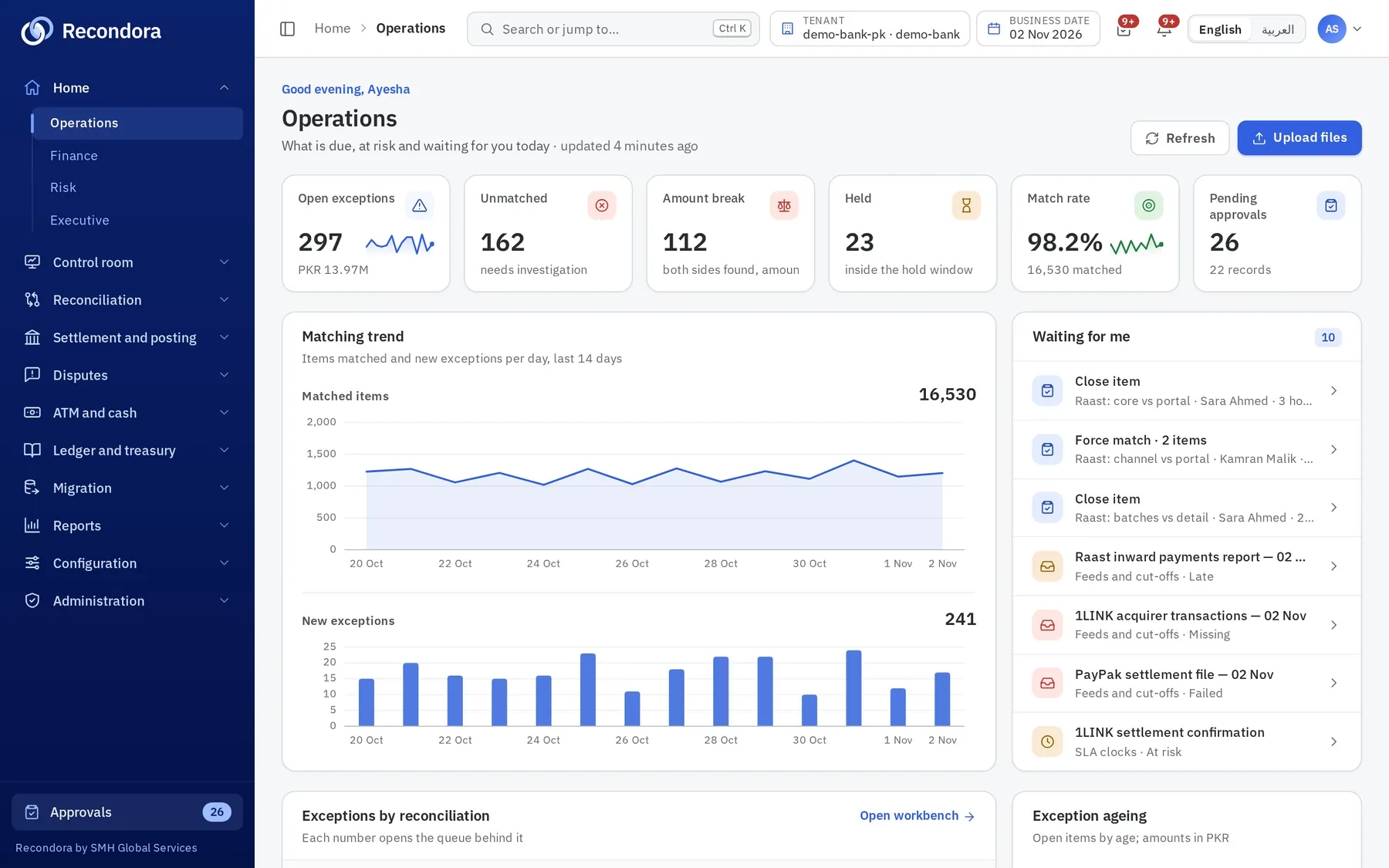
Start the day with what is due
The operations home shows open exceptions, amount breaks, held items, match rate and approvals waiting, with the trend of the last two weeks.
Step 2
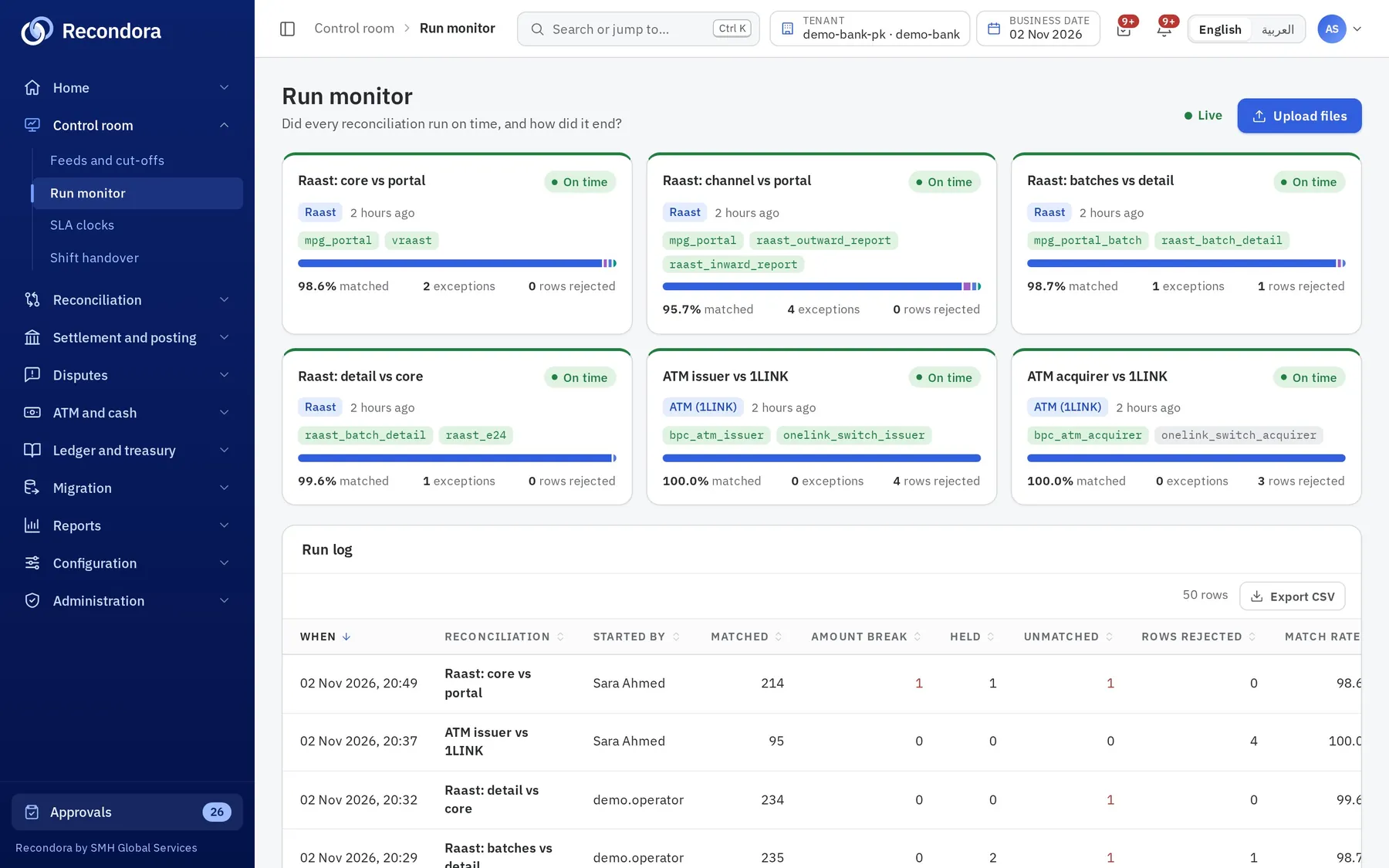
See every reconciliation at a glance
The run monitor shows each rule, when it last ran, its match rate and how many exceptions and rejected rows it produced.
Step 3
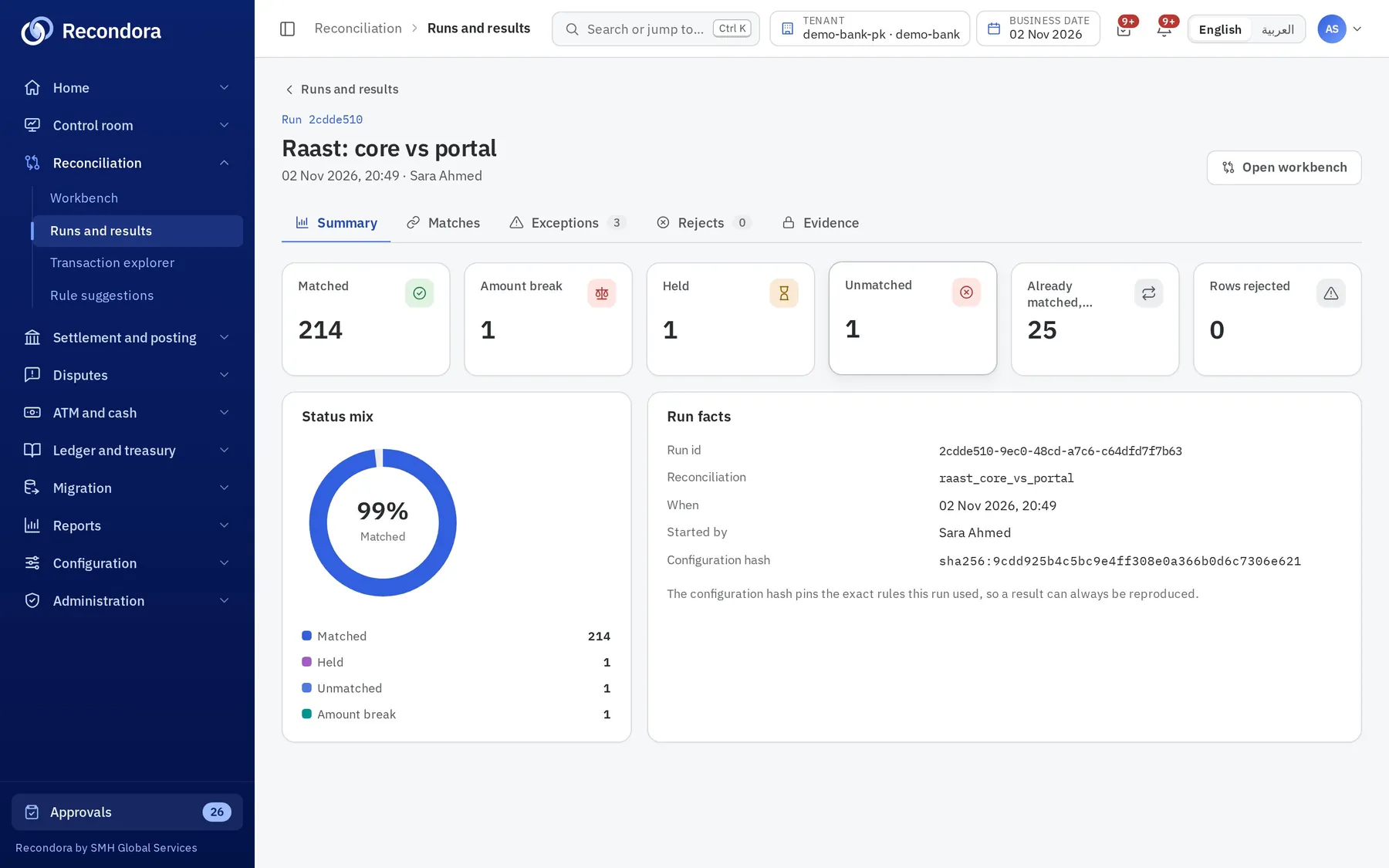
Open a run and see why
Each run shows matched, amount break, held and unmatched counts, the evidence files and the configuration hash that produced it.
Step 4
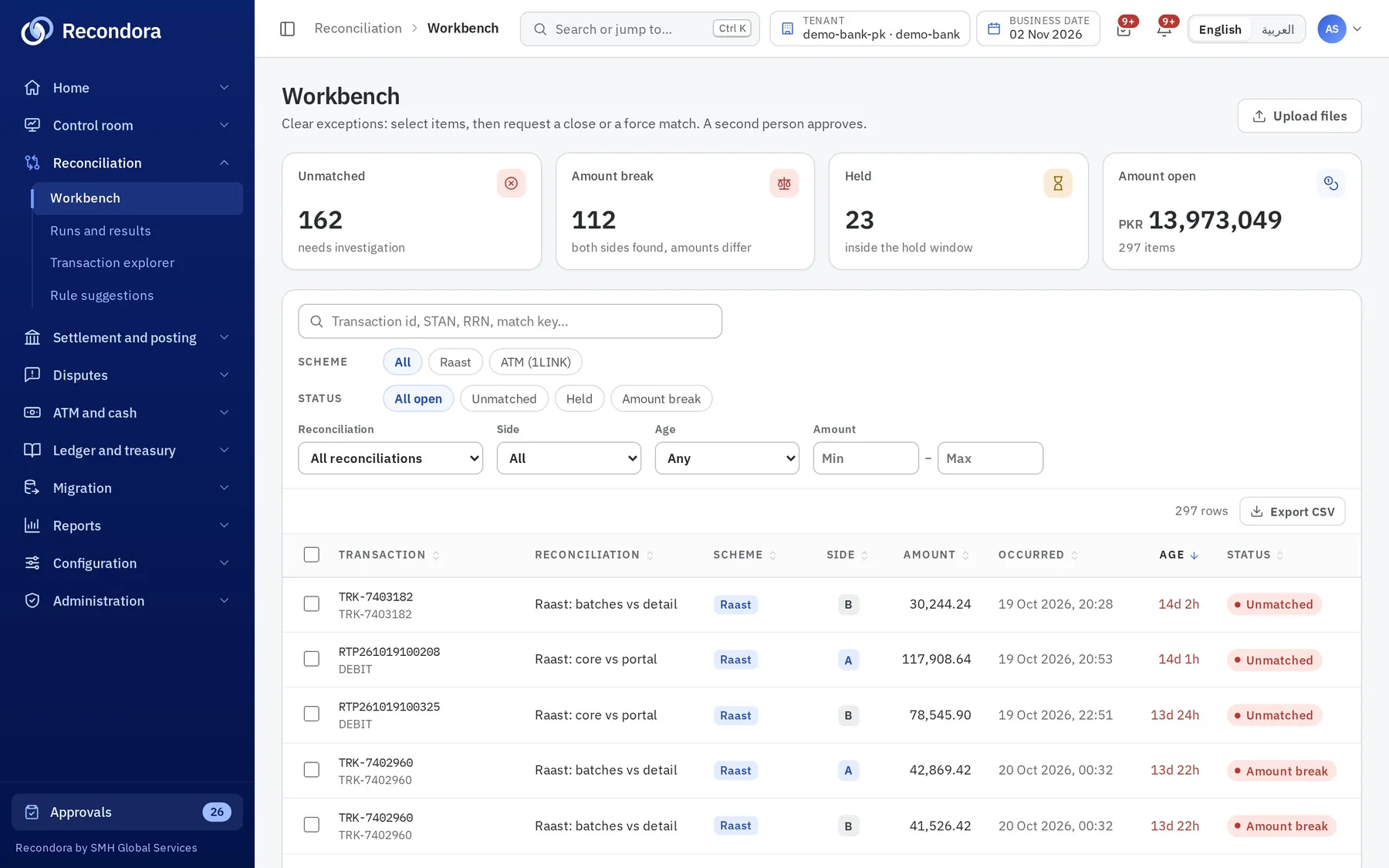
Work the exceptions in one queue
Filter by rail, status, age and amount; propose a force match, close or write-off for a checker to approve.
See it with your own files.
Book a walkthrough: we load sample files from two of your rails, run them through Recondora and show you every match, break and approval.